Claude Code 配置指南
Claude Code 是 Anthropic 推出的一个本地运行的 Agent 框架,可以接入 Claude 或者兼容 Claude 的第三方模型,支持工具使用和技能配置。
下面是 Ubuntu 22.04 系统 的安装配置记录:
1. 安装 Claude Code
下载安装 claude code (需要魔法,参考安装教程),并且为了使用第三方 API 需要禁用登录。
1
2
3
4
5
6
7
8
|
curl -fsSL https://claude.ai/install.sh | bash

vim ~/.claude.json
# 添加/修改下面内容为
# "hasCompletedOnboarding": true // 禁用登录

# 如果已经使用 claude 需要清理一下 ~/.claude.json 的备份
# rm -rf ~/.claude.json.*
|
2. 安装 cc-switch (可选)
cc-switch 是一个可以在 claude code 中同时管理并且切换不同的大模型 API,支持 Claude 和兼容 Claude 的第三方模型。
注意:如果只使用 Claude 官方模型可以跳过这一步
2.1 下载安装
选择对应的 CLI 版本,下面具体获取的包需要在 release 界面获取,优先获取 musl 静态编译版。
1
2
3
4
5
6
7
|
# 下载
curl -LO https://github.com/SaladDay/cc-switch-cli/releases/download/v4.5.0/cc-switch-cli-v4.5.0-linux-x64-musl.tar.gz

tar -xzf cc-switch-cli-*.tar.gz # 解压
rm cc-switch-cli-*.tar.gz # 删除压缩包
chmod +x cc-switch # 执行权限
sudo mv cc-switch /usr/local/bin/ # 放到系统路径
|
2.2 配置 API
参考文档 (有中文版),输入对应的模型提供商、URL、模型 ID、接口令牌等信息。
 1
 2
 3
 4
 5
 6
 7
 8
 9
10
11
12
13
14
15
16
17
18
19
20
21
22
23
24
25
26
27
28
29
30
31
32
33
34
35
36
37
38
39
40
41
42
43
44
45
46
47
48
49
50
|
➜  cc-switch provider list              # 列出所有供应商
No providers found.
Use 'cc-switch provider add' to create a new provider.

➜  ~ cc-switch provider add
Add New Provider
==================================================
> Provider Name: DeepSeek
> Website URL (optional):
Generated ID: deepseek

Configure Claude Provider:
> API Key: ********************************
> Base URL: https://api.deepseek.com/anthropic
> Configure model names? Yes
> Default Model:: deepseek-chat
> Haiku Model:: deepseek-chat
> Sonnet Model:: deepseek-chat
> Opus Model:: deepseek-chat
> Configure optional fields (notes, sort index)? Yes

Optional Fields Configuration:
> Notes:
> Sort Index:

=== Provider Configuration Summary ===
ID: deepseek
Provider Name:: DeepSeek

Core Configuration:
  API Key: sk-0...841d
  Base URL: https://api.deepseek.com/anthropic
  Model: deepseek-chat
======================
?
Confirm create this provider? (y/N) y

# 再查看就有了
➜  cc-switch provider list
┌───┬──────────┬──────────┬────────────────────────────────────┐
│   ┆ ID       ┆ Name     ┆ API URL                            │
╞═══╪══════════╪══════════╪════════════════════════════════════╡
│ ✓ ┆ deepseek ┆ DeepSeek ┆ https://api.deepseek.com/anthropic │
└───┴──────────┴──────────┴────────────────────────────────────┘

ℹ Application: claude
→ Current: deepseek # 当前使用的 deepseek

# 在打开 claude 就可以使用了
➜ claude
|
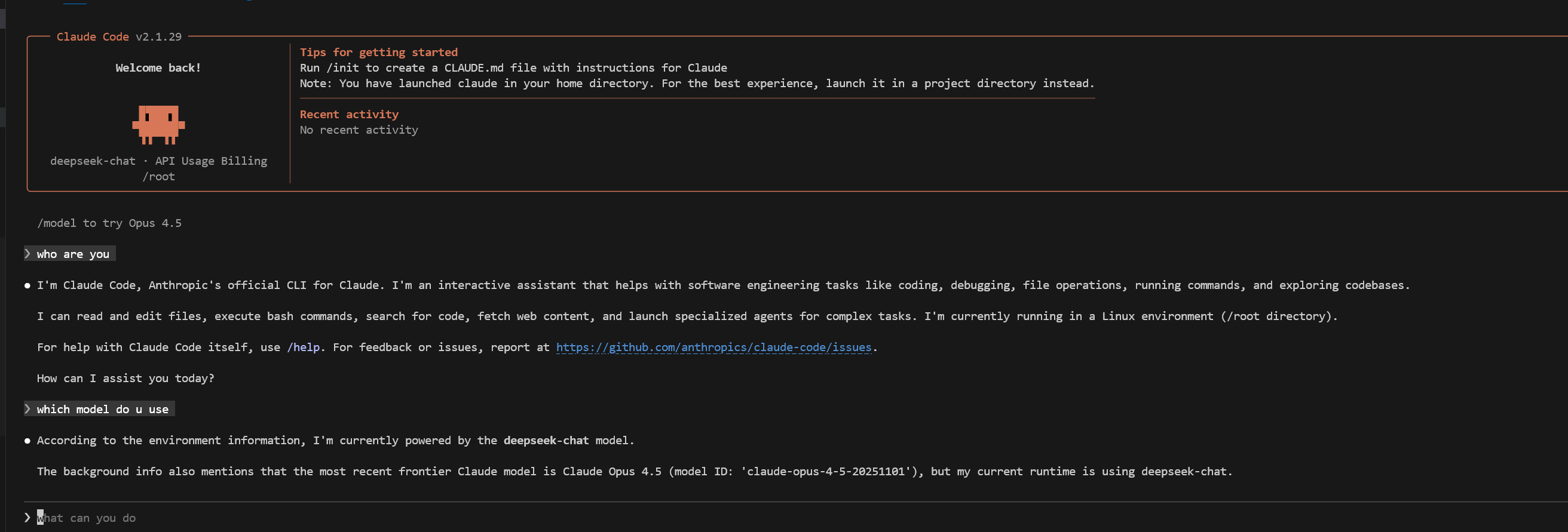
模型的 URL、ID、Token 令牌等获取参考 Copilot 配置文档。这里配置的 DeepSeek 模型,下面是加入 Claude Code 的测试结果:
3. 配置 Skills
可以在开源仓库/社区获取 Skills,如:
3.1 Skill 结构
Skill 包含如下结构,可以理解为高级提示词。参考教程: 官方文档、中文教程
1
2
3
4
5
|
skill-name/
├── SKILL.md          # Required: Skill instructions and metadata
├── scripts/          # Optional: Helper scripts
├── templates/        # Optional: Document templates
└── resources/        # Optional: Reference files
|
3.2 安装 Skill
把下载好的 Skill 放到下面目录就可以在 Claude Code 中使用:
1
2
|
mkdir -p ~/.config/claude-code/skills/
cp -r skill-name ~/.config/claude-code/skills/
|
下面以 write-skill 为例,右边有 install 命令:
 1
 2
 3
 4
 5
 6
 7
 8
 9
10
11
|
➜  npx skills add tldraw/tldraw # 中间的命令通过方向键和空格键选中
➜  ls -lah /root/.claude/skills # 可以在 skills 目录下查找到对应的 skills
total 8.0K
drwxr-xr-x 2 root root 4.0K Feb  3 19:34 .
drwxr-xr-x 9 root root 4.0K Feb  3 19:36 ..
lrwxrwxrwx 1 root root   32 Feb  3 19:34 find-skills -> ../../.agents/skills/find-skills
lrwxrwxrwx 1 root root   32 Feb  3 19:34 review-docs -> ../../.agents/skills/review-docs
lrwxrwxrwx 1 root root   34 Feb  3 19:34 skill-creator -> ../../.agents/skills/skill-creator
lrwxrwxrwx 1 root root   41 Feb  3 19:34 update-release-notes -> ../../.agents/skills/update-release-notes
lrwxrwxrwx 1 root root   32 Feb  3 19:34 write-docs -> ../../.agents/skills/write-docs
...
|
3.3 测试
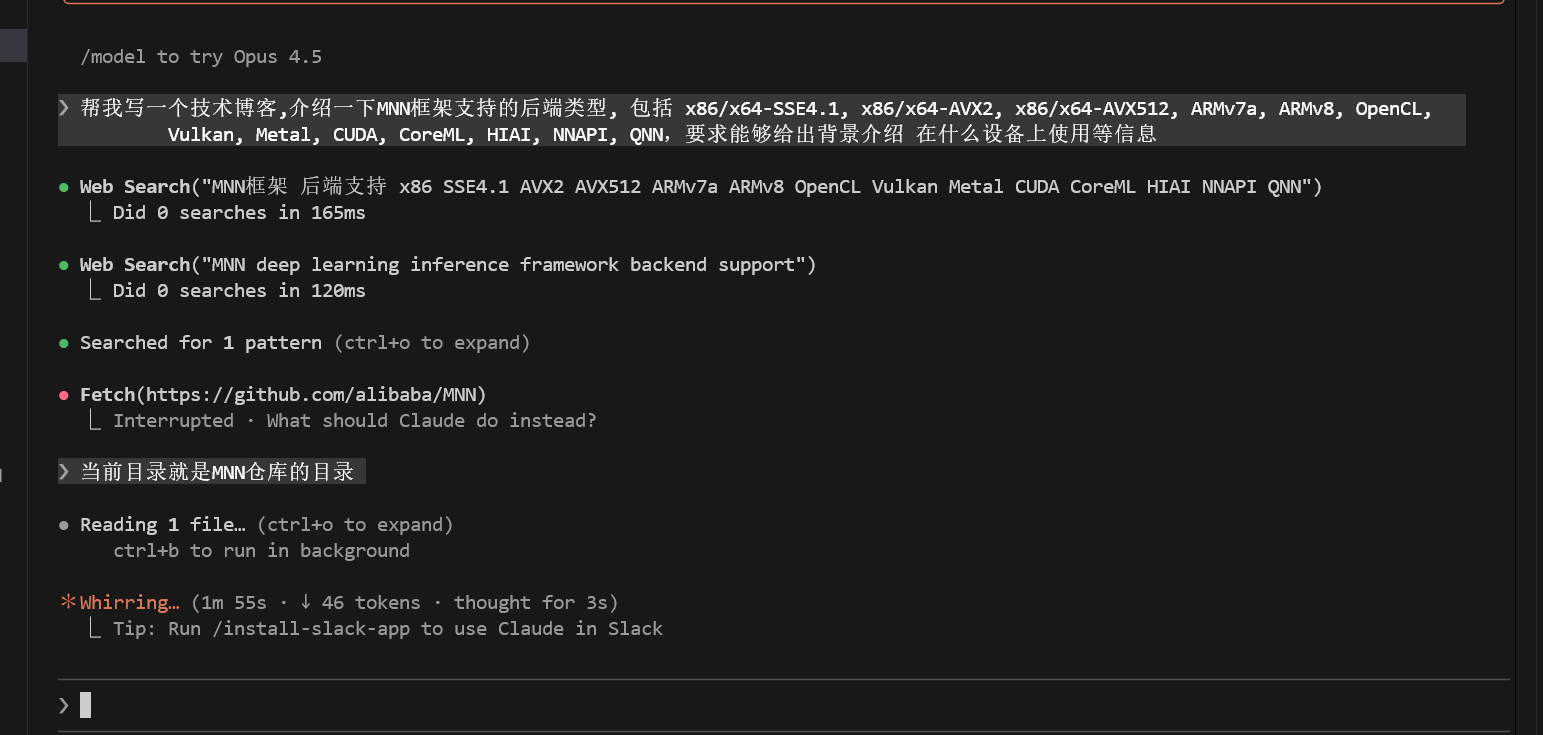
第一次使用会询问工具权限,如果不应该使用工具可以附上应该怎么做,例如 Fetch(https://github.com/alibaba/MNN) 这一步被取消了,理由是当前目录就在 MNN 中。